bluerig
v1.0.2, grown out of mcedit

bluerig

A terminal IDE, a continuation of cooledit

An editor that works with language servers, with the tree of a project, its build and its debugger, a Git window, and the queries of PostgreSQL and MongoDB. It runs full screen in any terminal, from the Linux console to tmux and a remote session over ssh, and opens a file in an instant.

openSUSE · Debian · Ubuntu · Fedora · Arch · macOS · Nix Commands: bluerig, or brg for short
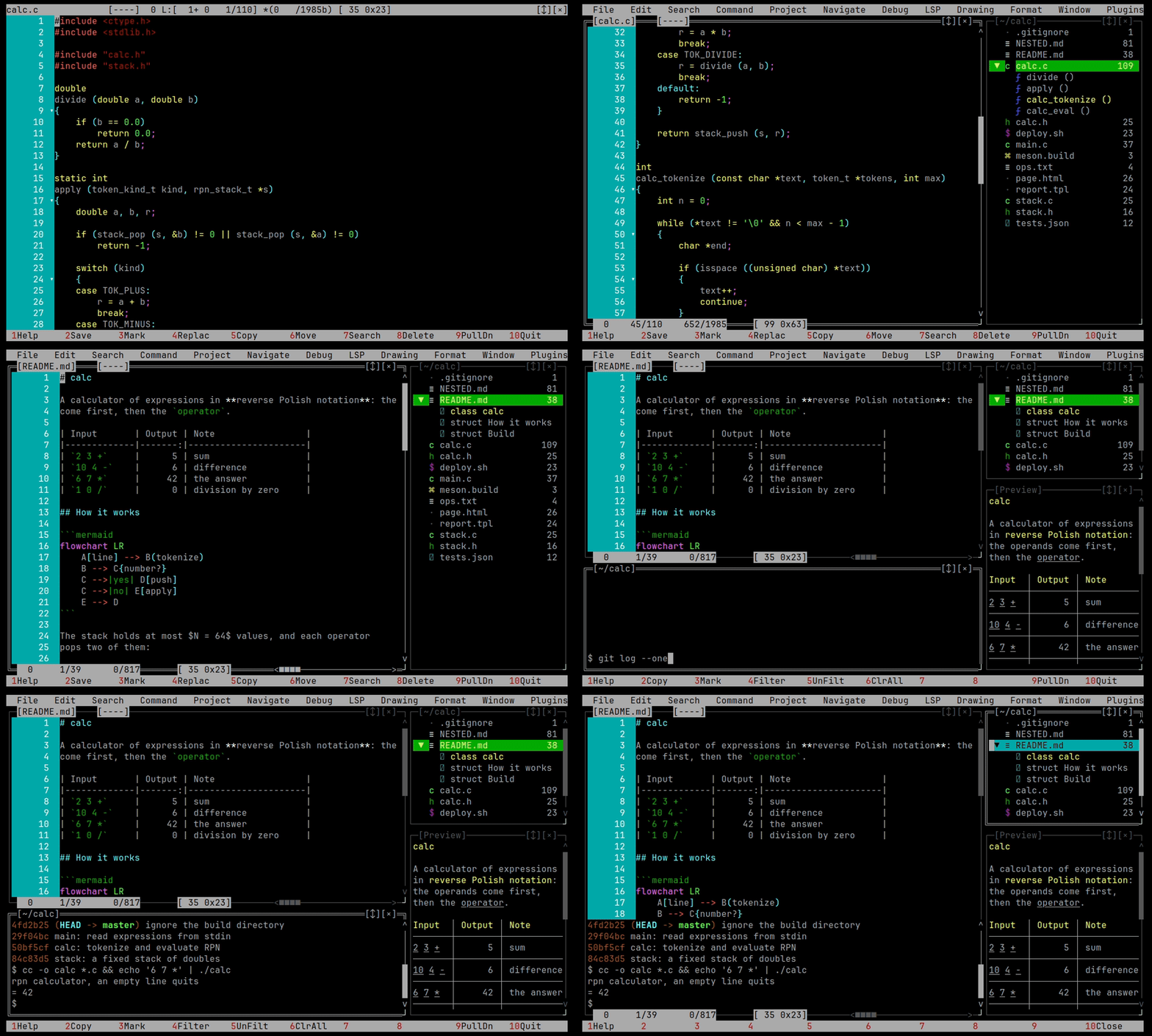
bluerig: a C file with the tree of its project, the README with its Preview, and the shell at the bottom
A C file with the tree of its project, the README with its Preview, and the shell at the bottom.

Installing

Packages for every release

Packages for Debian, Ubuntu, Fedora, Arch and macOS are attached to every GitHub release. There are two of them: bluerig, and bluerig-lua with the Lua runtime and the editor scripts.

openSUSE Tumbleweedthe distribution
sudo zypper install bluerig bluerig-lua
Ubuntu 24.04, 26.04PPA
sudo add-apt-repository ppa:bluepanels/bluerig
sudo apt update
sudo apt install bluerig bluerig-lua
macOS, LinuxHomebrew
brew install blue-panels/tap/bluerig
Nixflake
nix run github:blue-panels/bluerig
nix profile install github:blue-panels/bluerig
FedoraCOPR
sudo dnf copr enable smind/bluerig
sudo dnf install bluerig bluerig-lua
Debian 13files from the release
sudo apt install ./bluerig{,-lua}_*debian13*_amd64.deb
Archfiles from the release
sudo pacman -U ./bluerig{,-lua}-1*-x86_64.pkg.tar.zst
From sourcemeson
git clone https://github.com/blue-panels/bluerig.git
cd bluerig
meson setup build --prefix=/usr --sysconfdir=/etc
meson compile -C build
sudo meson install -C build

The latest release has .deb files for Debian 13 and Ubuntu 26.04 (amd64, arm64), .rpm for Fedora (x86_64, aarch64), .pkg.tar.zst for Arch, and a .dmg and .pkg for macOS on Apple Silicon. The package is on its way into Debian, Fedora, Alpine and Gentoo as well.

bluerig shares no file with the mc package, so both can be installed at once. Its own directories are ~/.config/bluerig, ~/.local/share/bluerig and ~/.cache/bluerig. F1 opens the built-in help, and man bluerig the manual page.

The IDE

A project, its build, its debugger, beside the text

bluerig -D ~/src/project opens the project of a directory. bluerig finds it by itself from a file too: the nearest directory with a .git or a build file.

Language servers

clangd for C and C++, pylsp or pyright for Python, rust-analyzer, gopls, and the servers of TypeScript, Bash, Lua, MongoDB and PostgreSQL. The editor asks the server what to complete, what a name is and where it is defined, and marks the problems it finds.

On a project the server starts by itself and the completion comes as a name is typed; Ctrl-Space asks for it anywhere. More
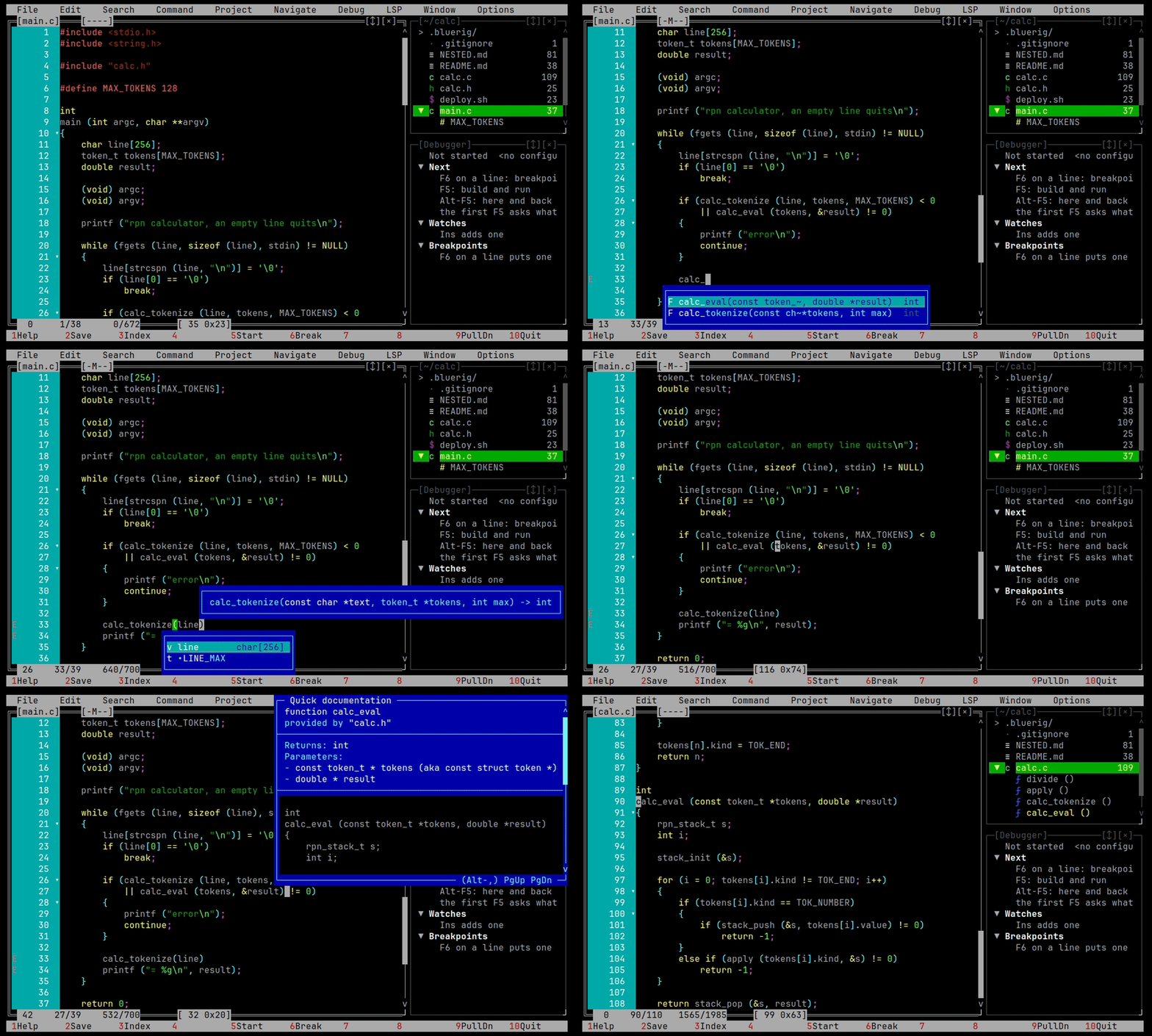
Completion, documentation and diagnostics from a language server

Debugger

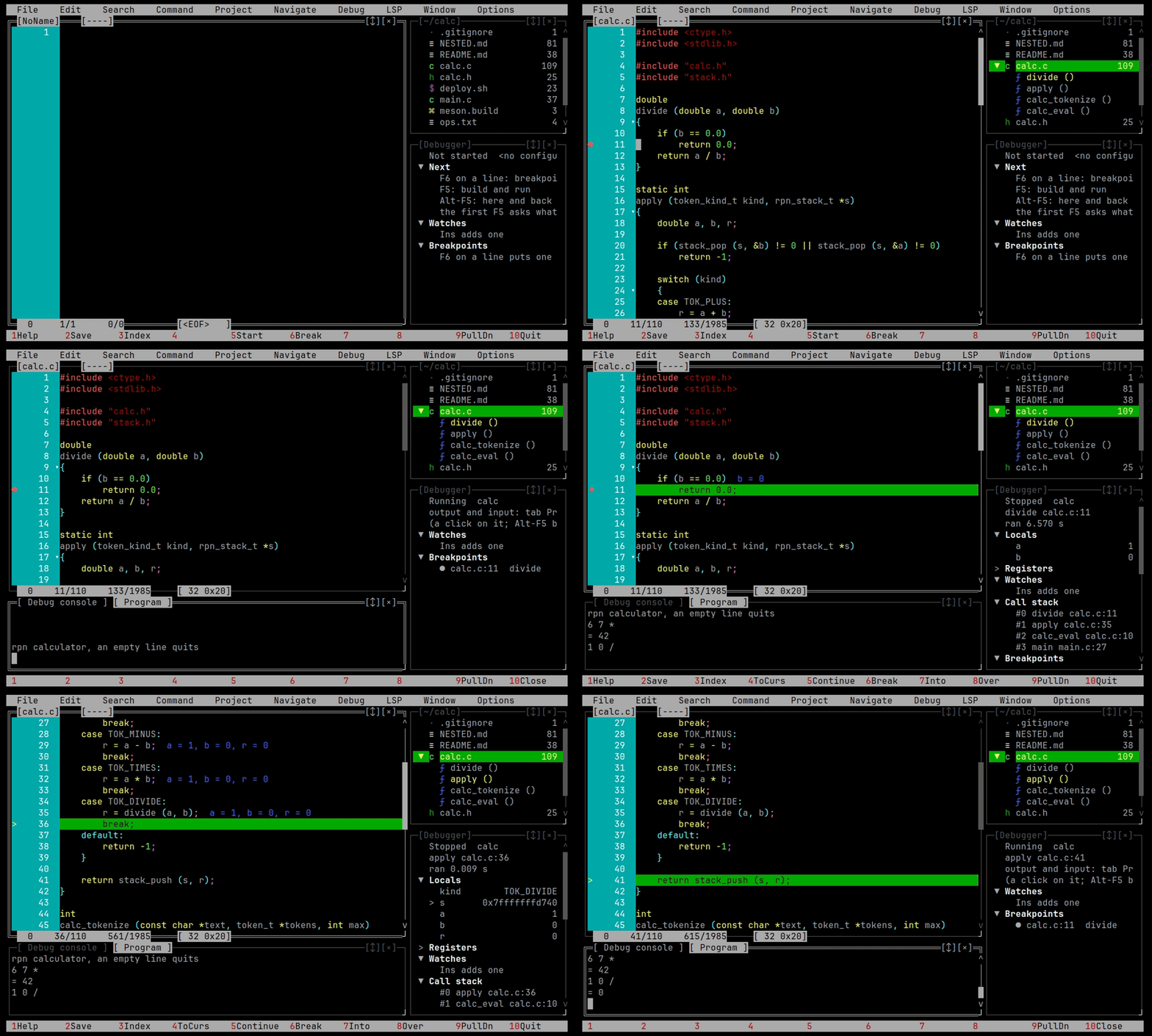
GDB, and the debug adapters of Python, Go, the shell and JavaScript. Breakpoints in the gutter, steps through the source, and the call stack, the local variables and the watches in a panel beside it. While the program is stopped, the values of the variables are shown at the end of the lines that use them.

Ctrl-F8 sets a breakpoint, F5 builds and runs, Alt-F9 runs to the cursor, Alt-F8 evaluates the word under it. More

A breakpoint, the program run and stopped, the variables in the panel, then a step out

Build

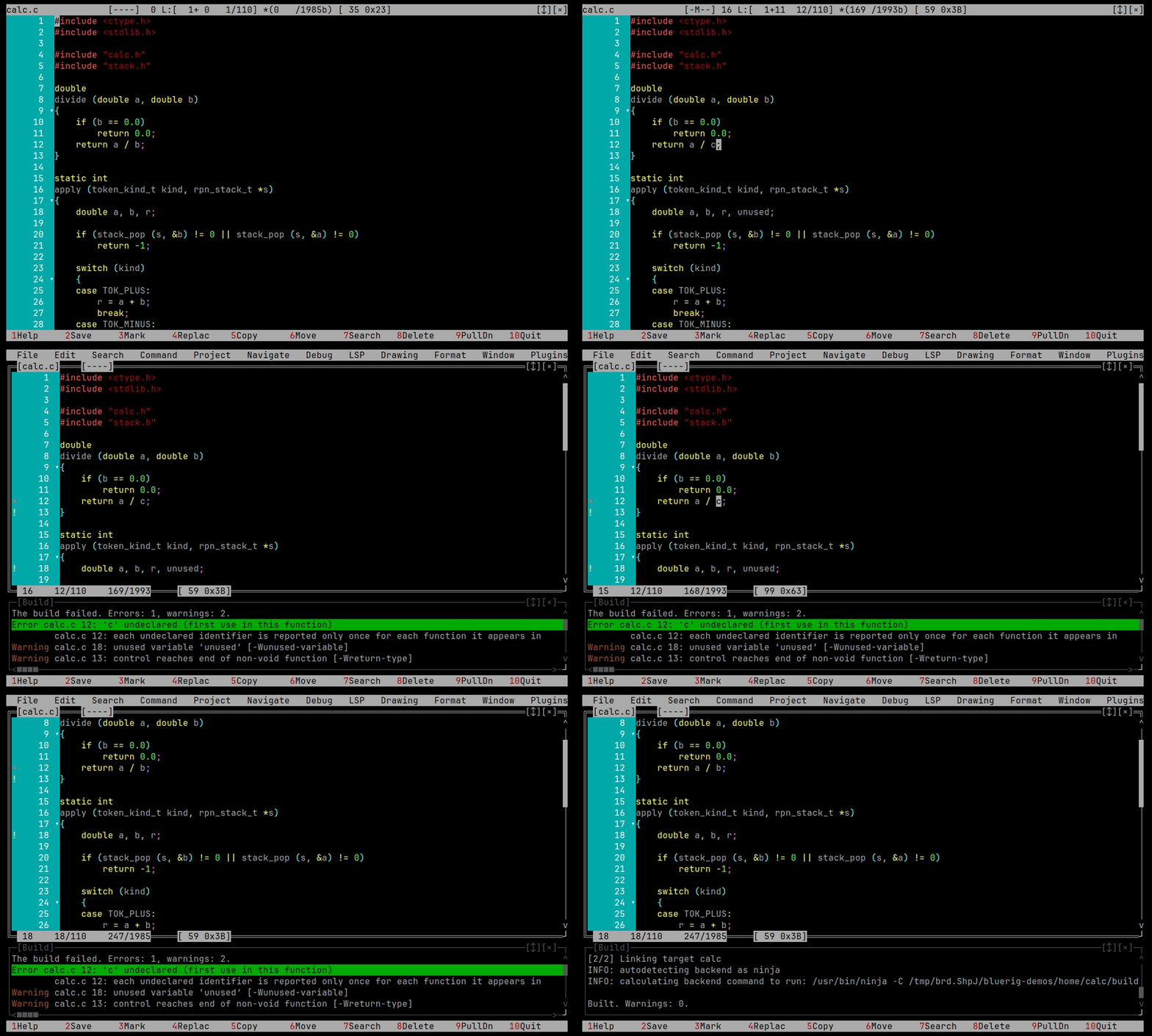
meson, cmake or make, found by itself. Alt-B saves the modified files and builds; the lines the compiler names are marked in the gutter, a cross for an error and an exclamation mark for a warning, and Alt-J, Alt-K go to the next and the previous one. More

The build marks an unused variable and an unknown name; after the fix it is clean

Project

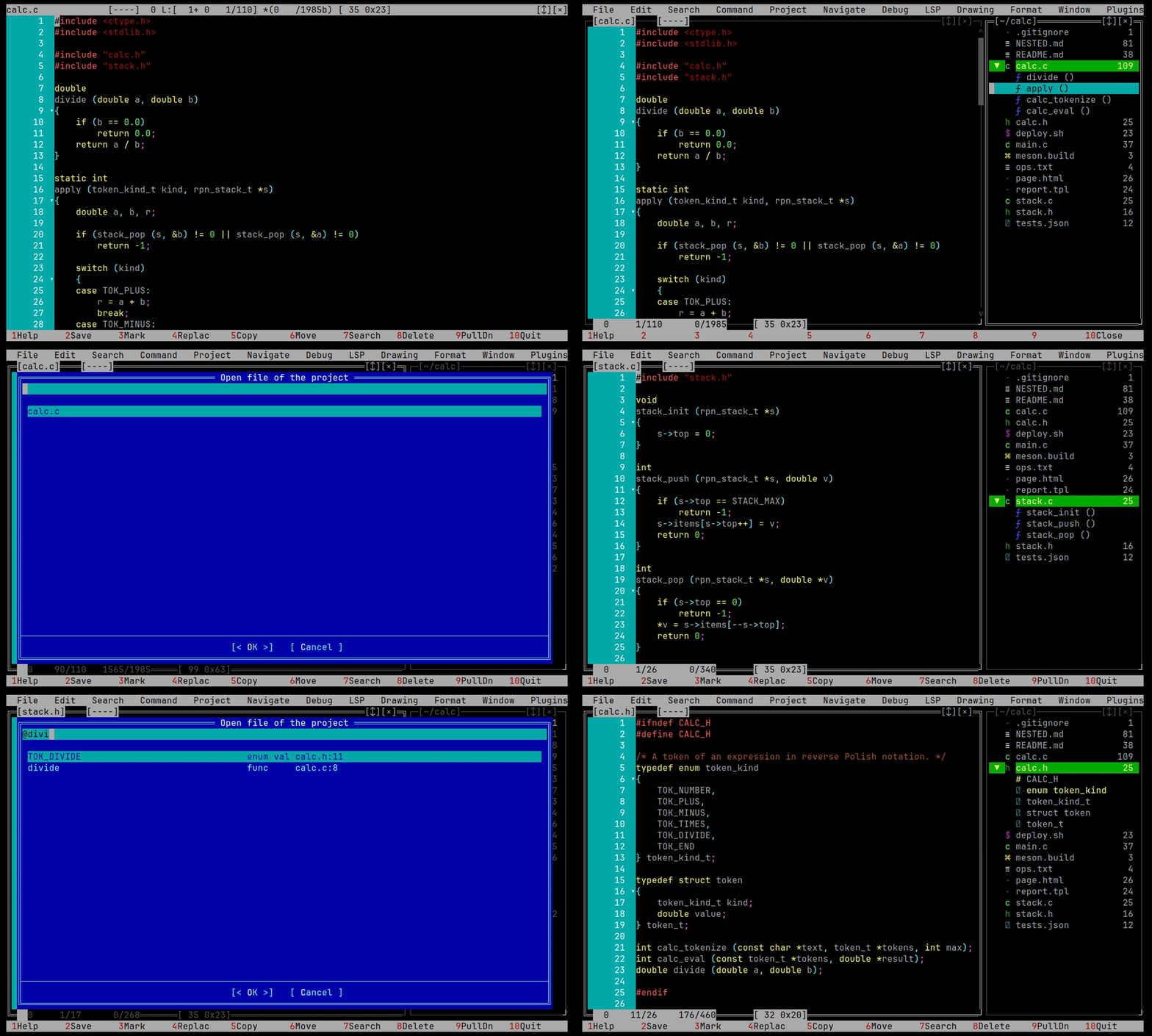
The tree of the project with the outline of the file, any of its files or symbols a few letters away, find in its files, and the header of a source. The files are what git knows and does not ignore. More

The project tree, the outline of a file and a file found by a few letters

Git

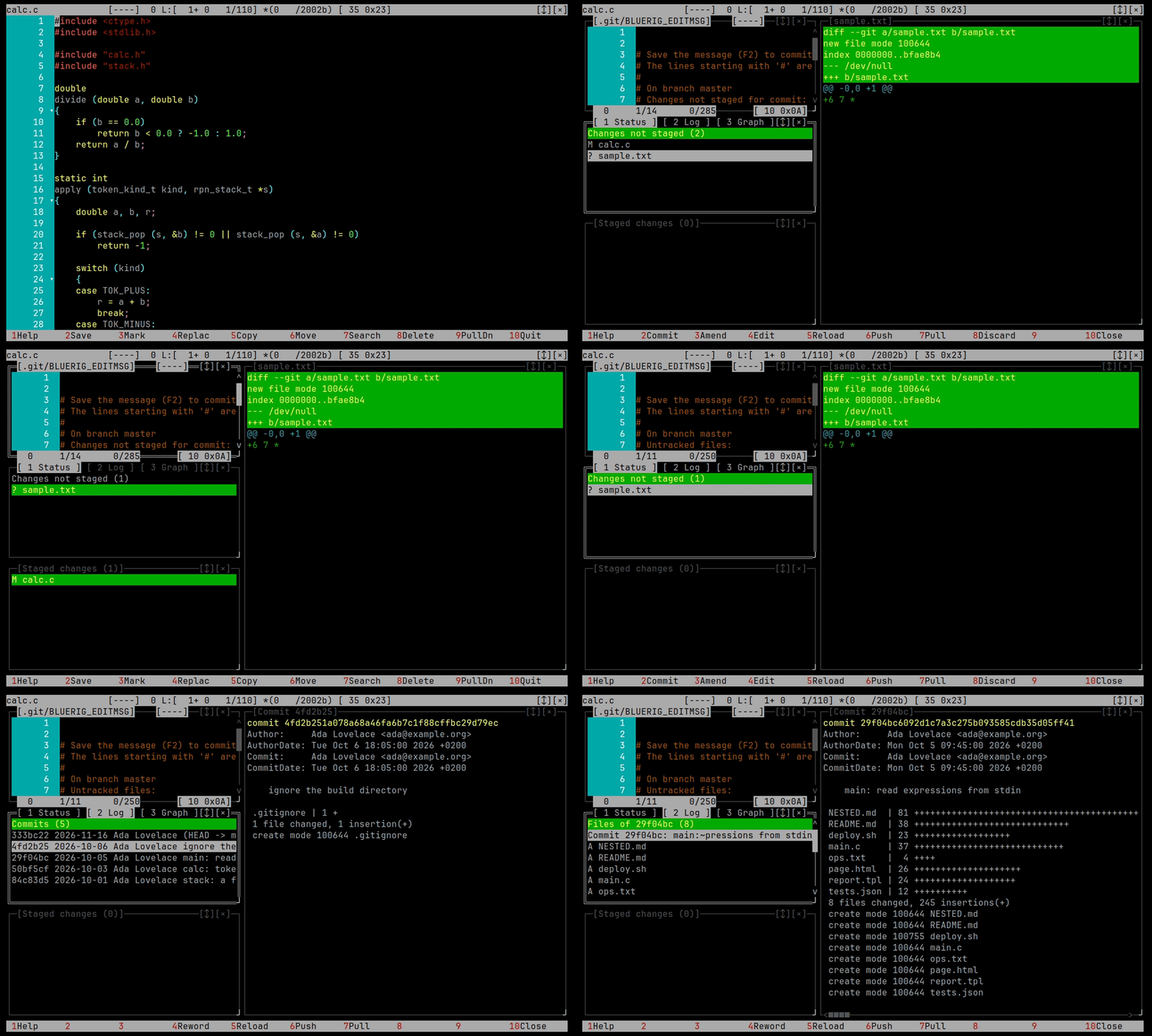
Status, staging, the diff, a commit message written in an editor window, the log and the branches, side by side as in gitui. It runs the git of the system, so your hooks and identity apply. Alt-C opens the status, Alt-L the log, and bluerig -G starts on a work tree. More

The status with a diff, a file staged, a message committed, then the log

Queries of PostgreSQL and MongoDB

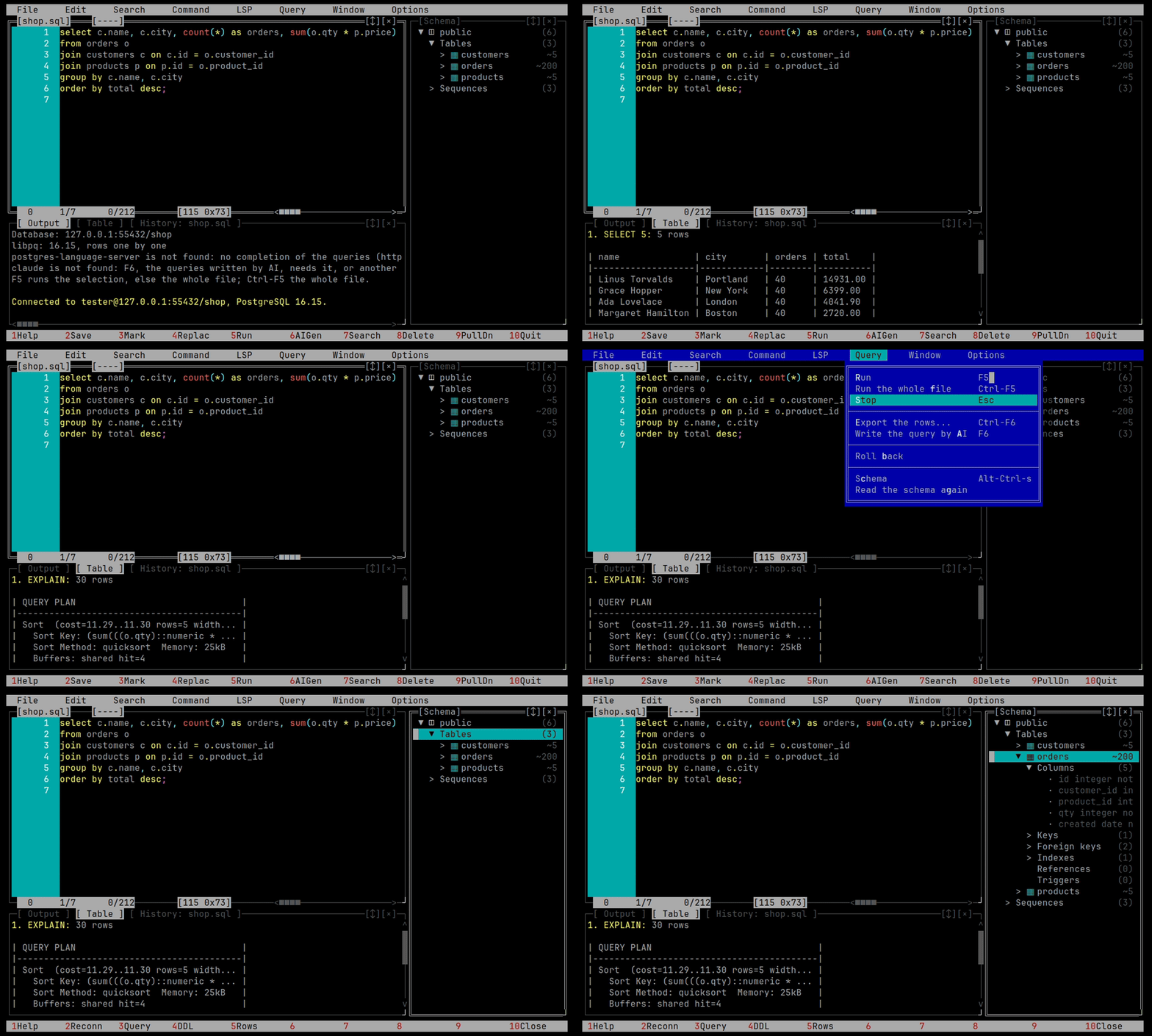
bluerig -Q runs the queries of a file: PostgreSQL through libpq, MongoDB through mongosh. The file is an ordinary editor window; F5 runs the query or the selection, the rows come into Table, every query run is kept in History, and Schema shows the tables, the columns and the keys. The rows export to CSV, JSON, SQL or Markdown. More

A query run on PostgreSQL, its rows in Table, EXPLAIN, and the schema of a table

Terminal

Ctrl-O shows your shell in a window under the file and hides it again; the shell goes on running while it is hidden. Its scrollback can be searched and filtered. More

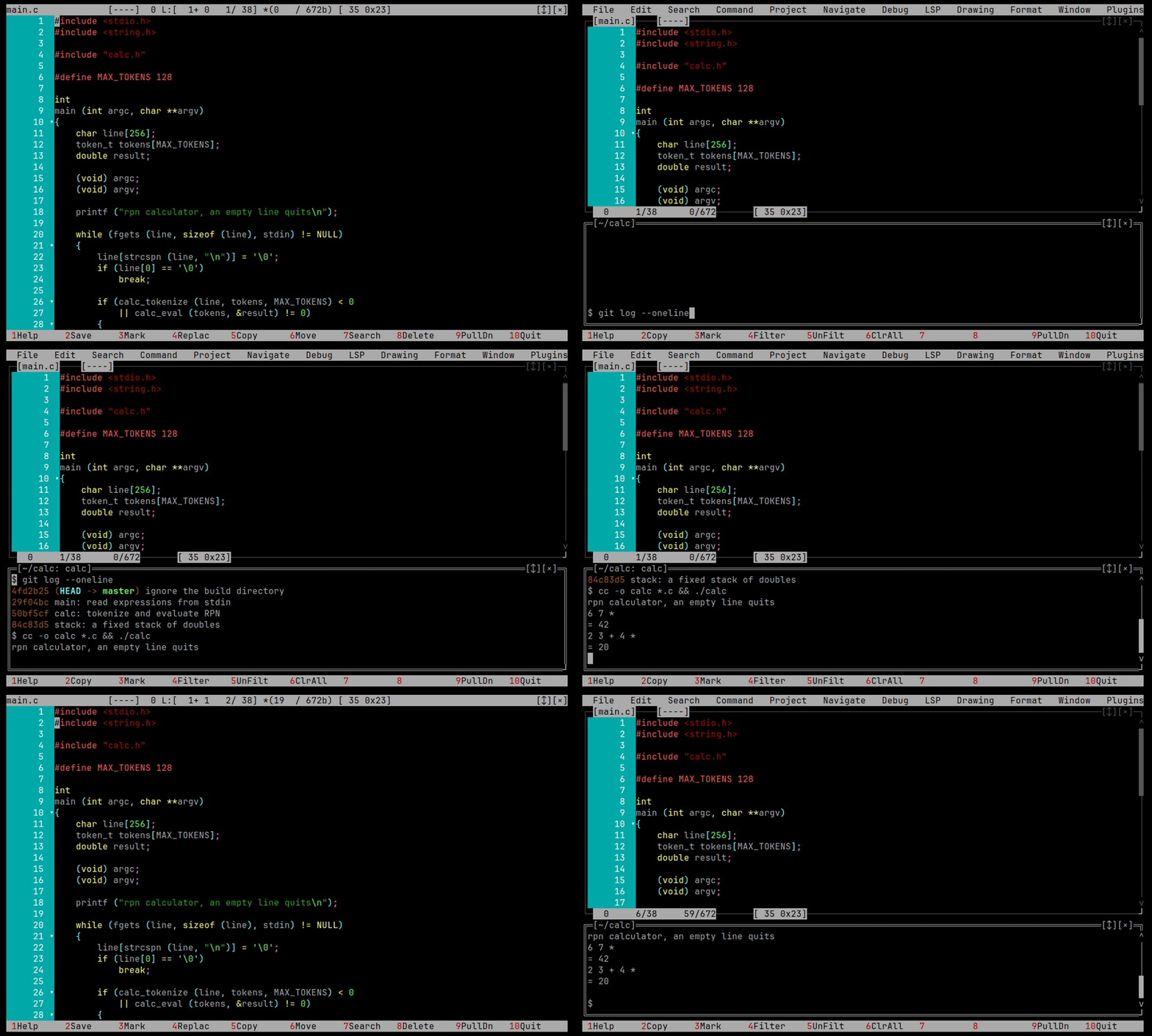
The shell under a file: git log, a build and a run, hidden and shown again

Preview

Ctrl-Alt-P shows the file the way it is meant to read, beside its text and as you type: markdown with tables and mermaid diagrams, JSON and XML as trees and tables. The renderers are Lua scripts. More

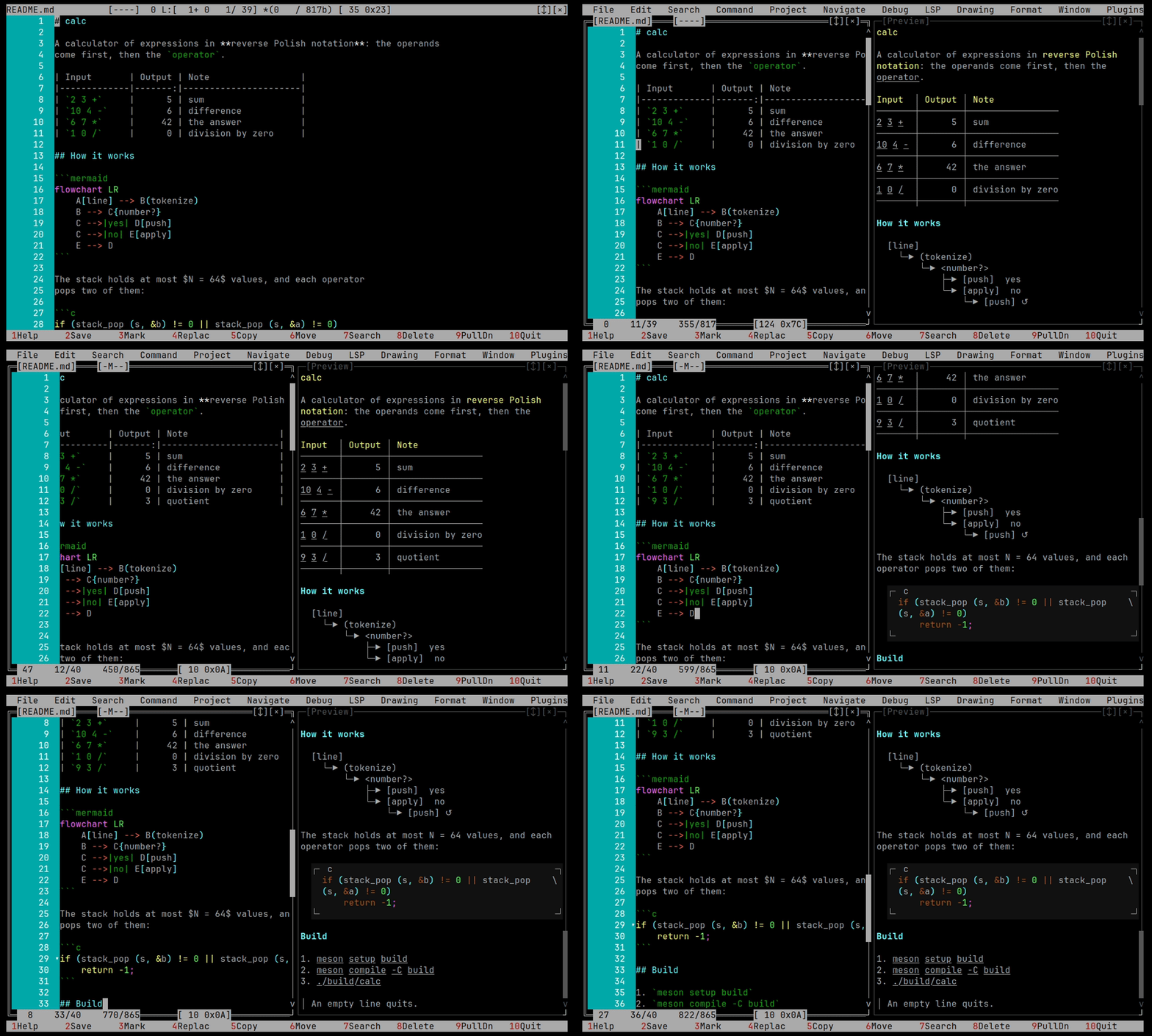
A markdown file and its Preview, drawn again as it is typed

Editor

The keys of mcedit, and much more under them

The hands remember it: F2 saves, F3 marks, F5 and F6 copy and move the block, F7 searches, F4 replaces, F10 quits. The syntax files, the skins and the user menu have the formats you know. Coming from mcedit

Code folding

Alt-F on a line with a bracket folds the block up to its pair; the gutter shows the folds.

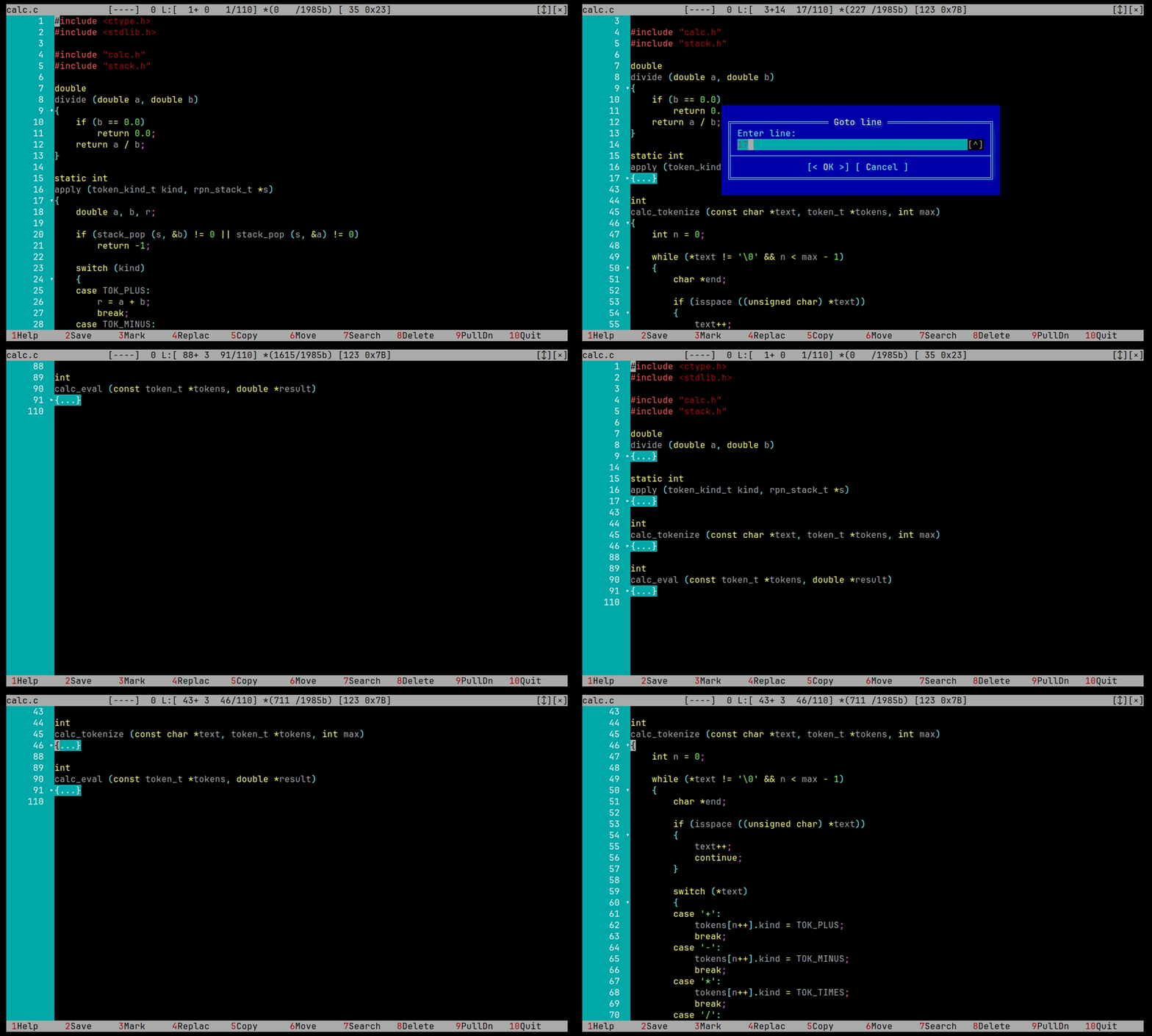
Folding and unfolding a block

Undo history

Ctrl-T lists the changes in groups, and any of them is a jump away, forward or back.

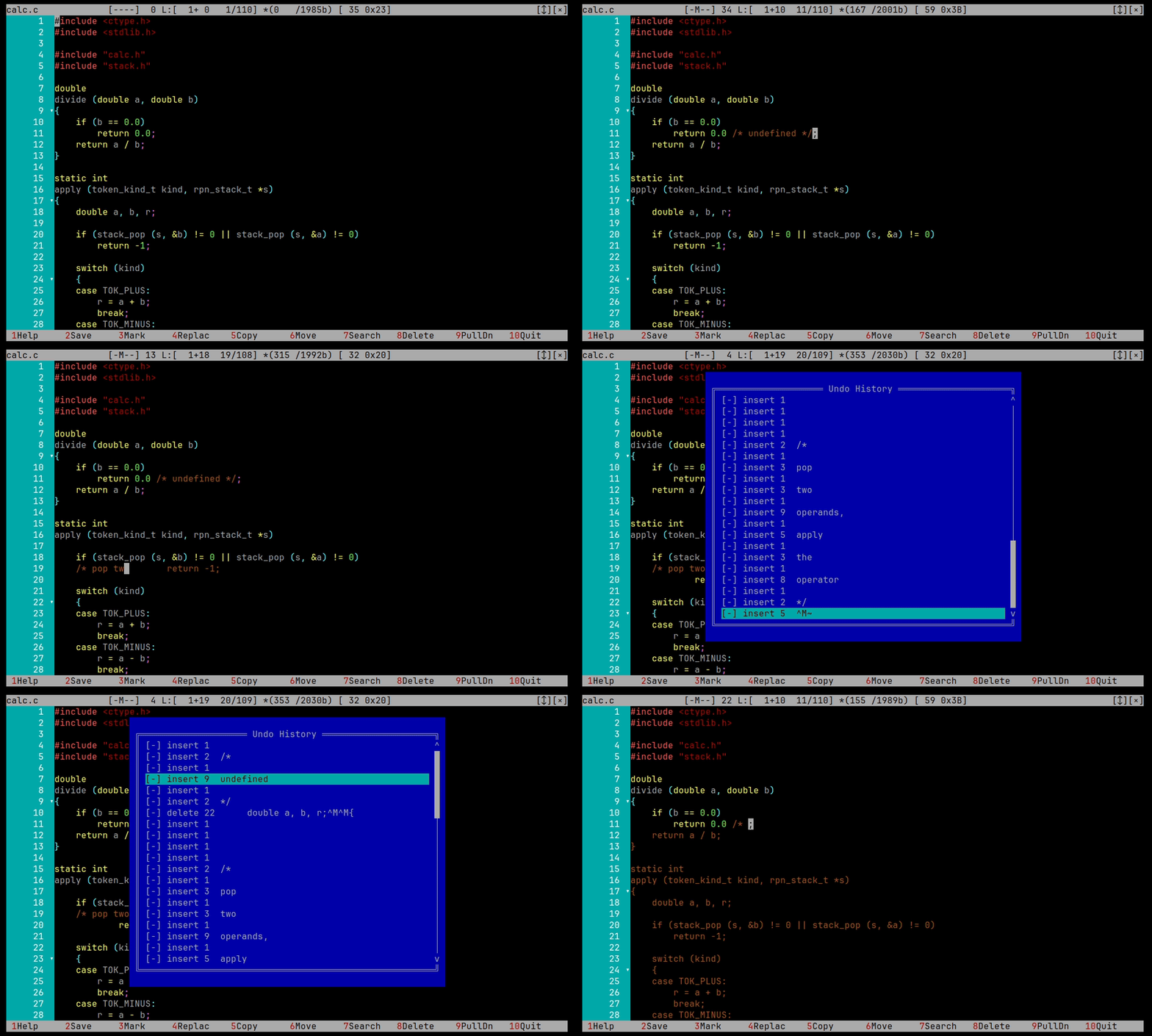
The undo history listing the changes and jumping back

Macros

Ctrl-R records keys into a macro bound to a key of its own; Alt-M lists the macros to run, delete or open.

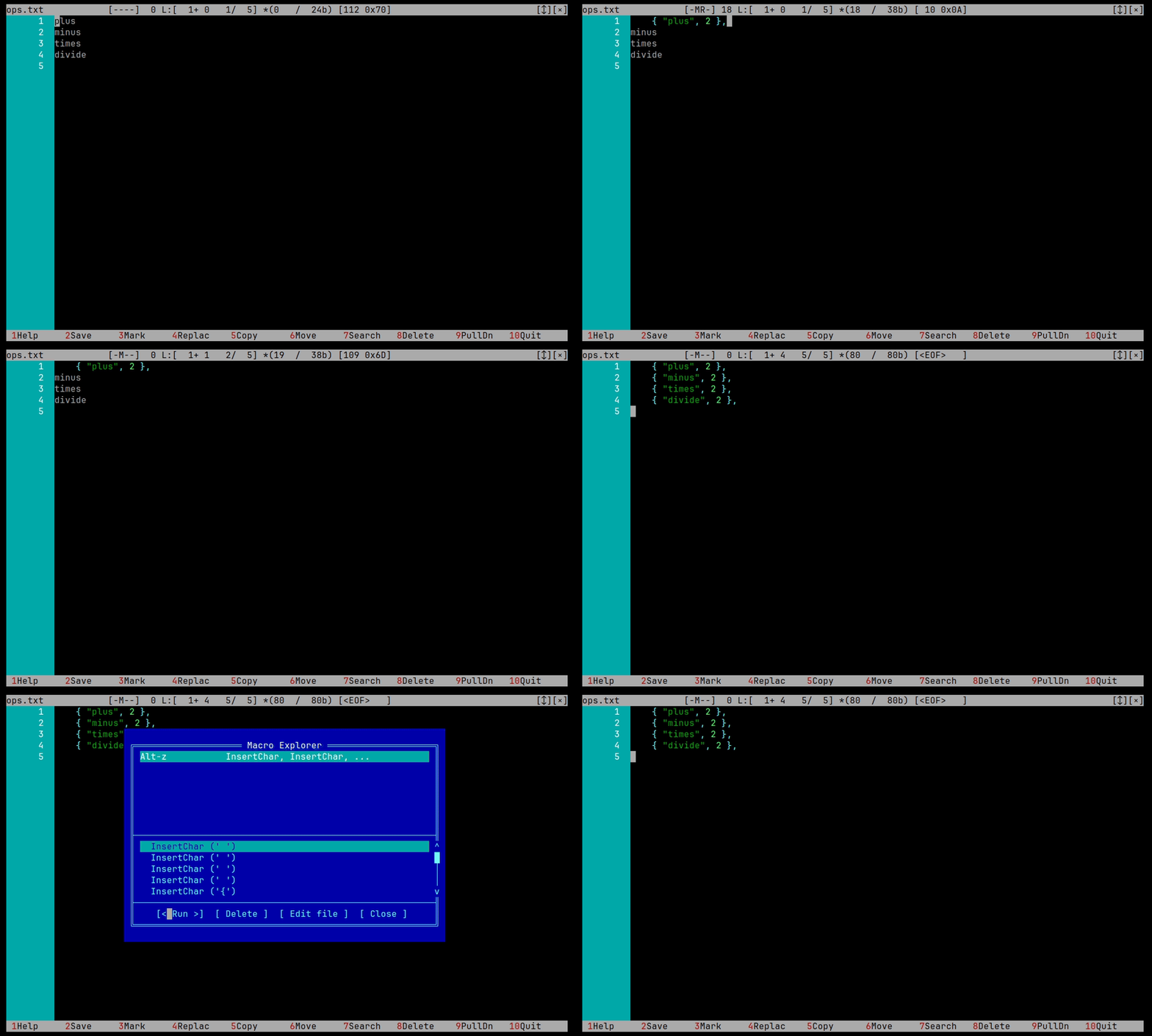
A macro recorded, played back and shown in the Macro Explorer
Syntax highlightingOver a hundred languages, in plain text rules that one language can hand to another: the script in HTML, the code in markdown.
BlocksColumn blocks, search and replace with regular expressions, bookmarks.
Line filterOnly the lines that match stay on the screen, with their numbers.
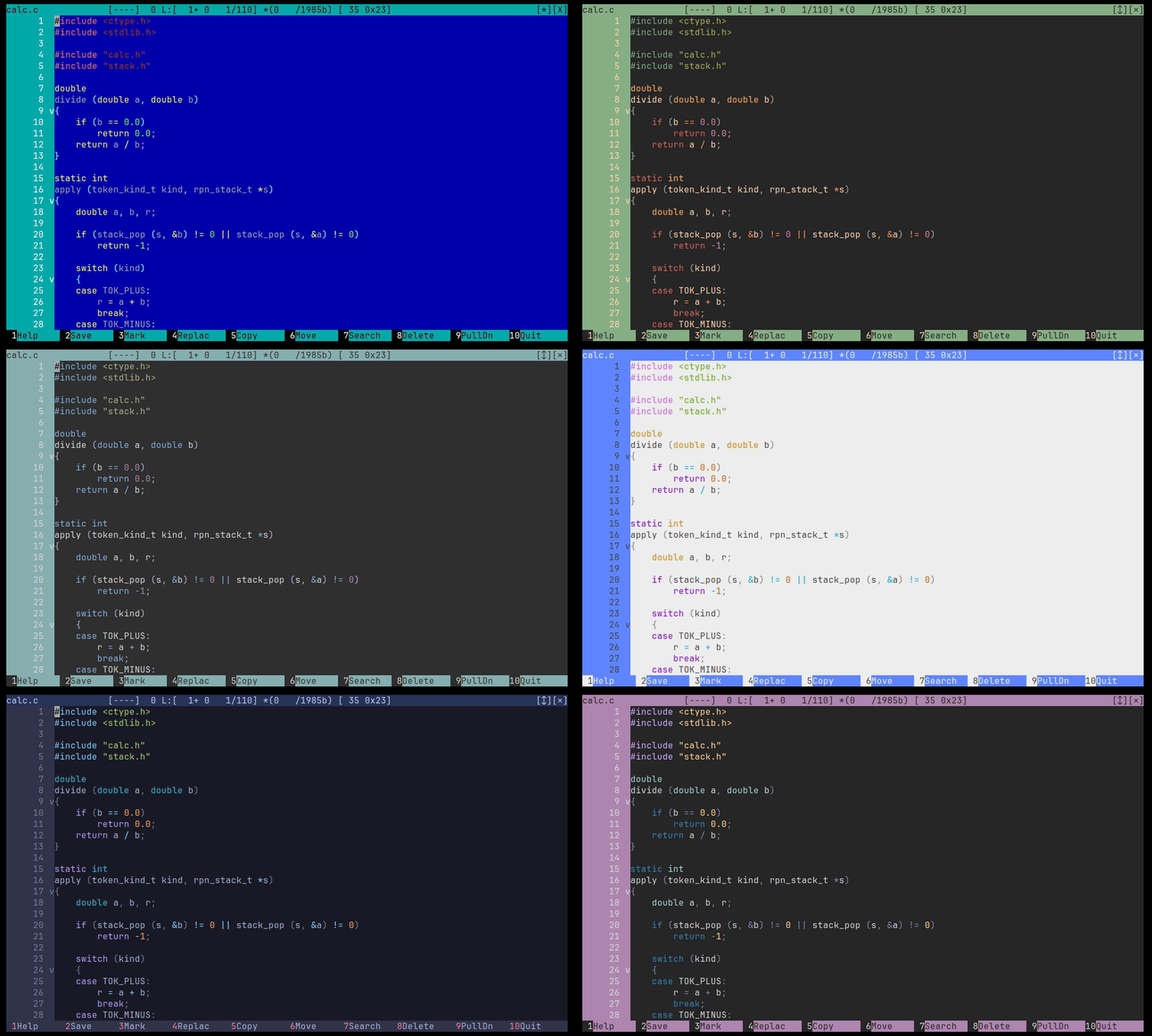
Skins and keys16-colour, 256-colour and true-colour skins; key bindings changed in a dialog, in the default, Emacs or vim style.
Lua scriptsActions, menus, dialogs and full-screen views; the date, sorting, a paragraph, a table, the output of a command.
Spell checkingaspell or hunspell, whichever is installed.
The same file in several skins
Skins.

With mcommander

A file manager next to it

bluerig has no file manager of its own: it works next to mcommander, the file manager that continues GNU Midnight Commander and that bluerig's editor came from.

PanelsArchives open as directories, and connections to other machines, through panel plugins.
Git, MongoDB, PostgreSQLTheir panels run bluerig: the Git window, a commit message, a commit to reword, the editor of queries.
SessionsWhen the terminal is closed or the ssh connection drops, the panels, the shell, the editors and the copy jobs go on, and mcommander started again takes them over.
F4Opens files in bluerig when "Use internal editor" is off and EDITOR is bluerig.

History

From cooledit, through mcedit

Paul Sheer wrote cooledit in the 1990s. Its terminal version lived on for many years as mcedit, the internal editor of GNU Midnight Commander, and grew there: syntax highlighting, column blocks, tags, the undo history. bluerig takes that editor, with the fixes and the features it gained in mc, and grows it into a program of its own. Its author has worked on mcedit since 2009.

Releases

Its own version line

1.0.2 2026-11-18 brg, a short name; the Syntax file without the paths of the build machine; the syntax files of J, Kotlin and Yabasic removed
1.0.1 2026-11-15 The first published release

All notes: Releases · CHANGELOG.md