
Creating an archive from tagged files
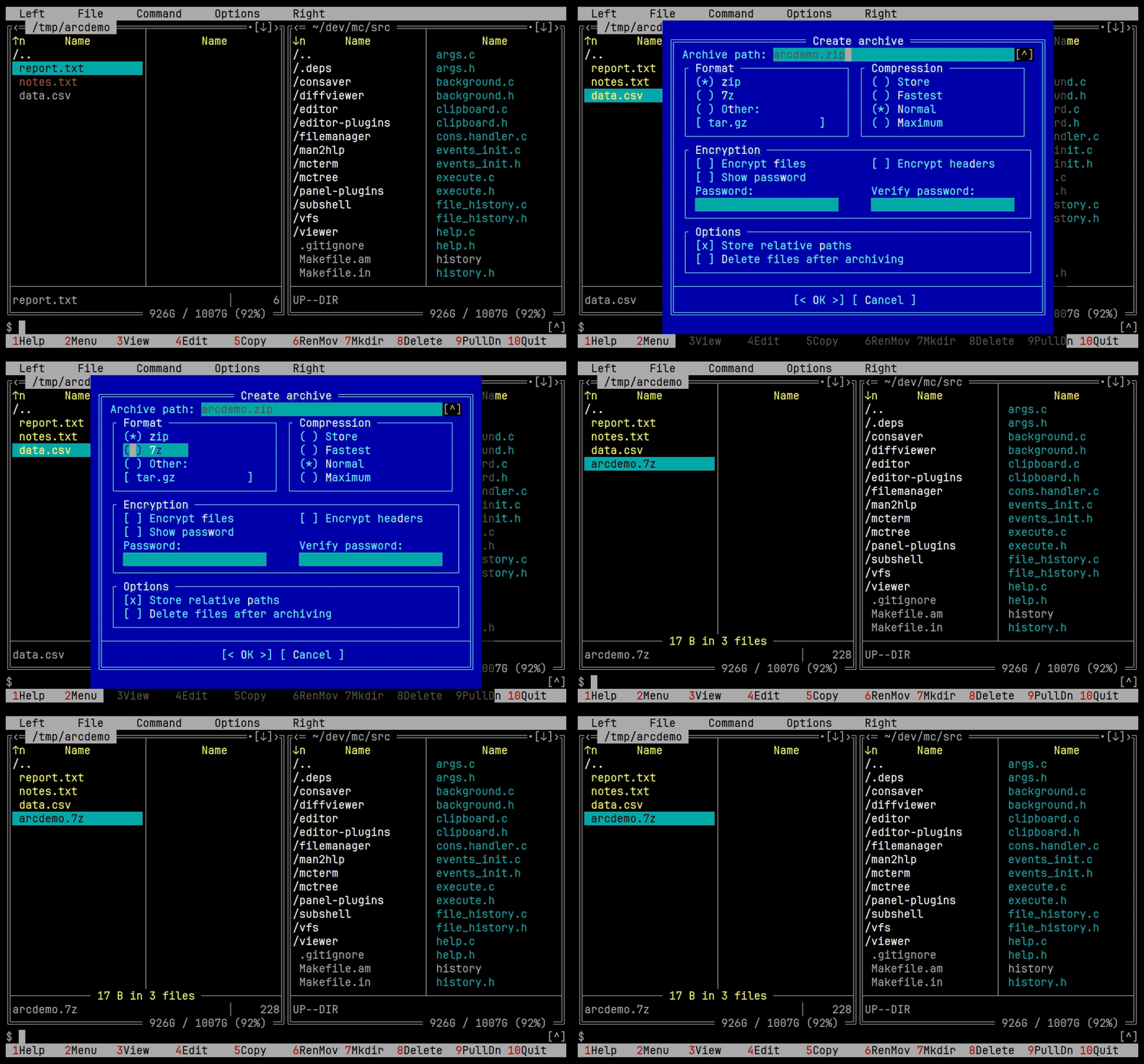
Tag files, open the pack dialog, pick the format and compression, watch the progress. The built-in tar and cpio filesystems are gone; arcmc does that job now.
Based on GNU Midnight Commander
The package is called mc6. It grows outside the core: panel contents come from loadable plugins, scripts talk to mc through a versioned host ABI, and the shell runs in an embedded terminal.
mc, mcedit, mcview, mcdiff
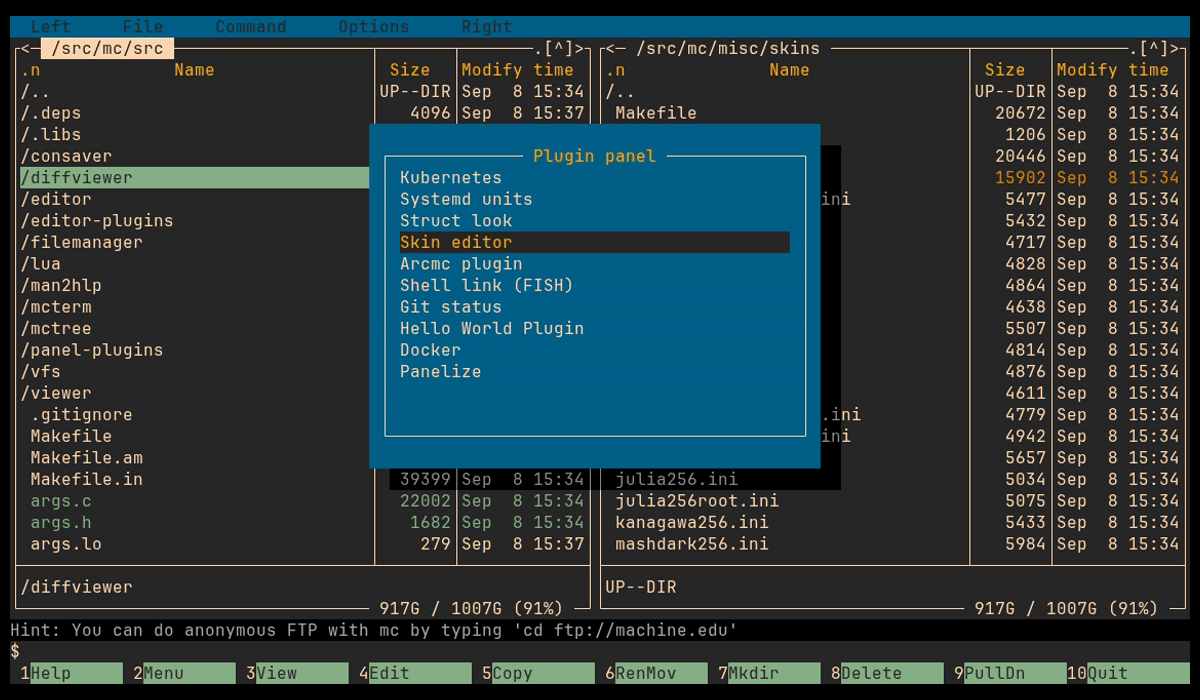
What the fork is about
The core stays GNU Midnight Commander. Everything below is added around it, most of it as plugins that can be enabled, replaced or written by the user.
A panel can show anything: Git history, containers, pods, buckets, an archive on a remote host. Plugins pass streams to each other.
Lua is itself a plugin over the core ABI. Scripts extend the editor, panels, viewer and UI without touching the core.
Tree mode for JSON, YAML, XML and HTML, images, ELF and Java classes, live logs with a filter, ANSI and terminal replay.
Editor plugins, box drawing, line filter, code folding, undo history, macro explorer, saving through sudo.
mcterm replaces the old subshell: real prompt, scrollback, selection, line filter, sixel graphics.
Installing
Packages for Debian, Ubuntu, Fedora, Arch and macOS are attached to every
GitHub release.
The package is called mc6 and replaces the distribution's mc.
sudo add-apt-repository ppa:il-smind/mc6
sudo apt update
sudo apt install mc6 mc6-plugins
brew install blue-panels/tap/mc6
A .dmg and a .pkg for Apple silicon are attached to the release as well.
Take the file for your system from the latest release:
.deb for Debian 13 and Ubuntu 26.04, amd64 and arm64.rpm for Fedora, x86_64 and aarch64.pkg.tar.zst for Arch, x86_64Install mc6 together with mc6-plugins.
git clone https://github.com/blue-panels/mc6.git
cd mc6
./autogen.sh
./configure
make
sudo make install
See INSTALL for dependencies and Local build check to run the CI build locally.
mc, mcedit, mcview, mcdiff.
What mc6 does not share with mc are its directories: ~/.config/mc6,
~/.local/share/mc6 and ~/.cache/mc6. On first start the matching
mc directory is copied into each new one, and the original is left untouched.
Panel plugins
A plugin panel works like a regular file panel: navigation, viewing, and the standard
operations through F4, F5 and F6. Plugins add their own data
sources, menu entries, settings and help, and keep a navigation history of their own.
One plugin can hand another an open seekable stream, and magic.ini routes a file
to the plugin that understands it. That is what lets an archive on a remote host open without
downloading it whole.
| Plugin | What it does |
|---|---|
| arcmc | Archives in a panel, on libarchive. Browse nested archives, add and delete files, create ZIP, 7z, TAR and CPIO, set compression, passwords and encryption, extract in bulk with progress, speed and remaining time. Paths are checked on extraction so an archive cannot escape the target directory. Guide |
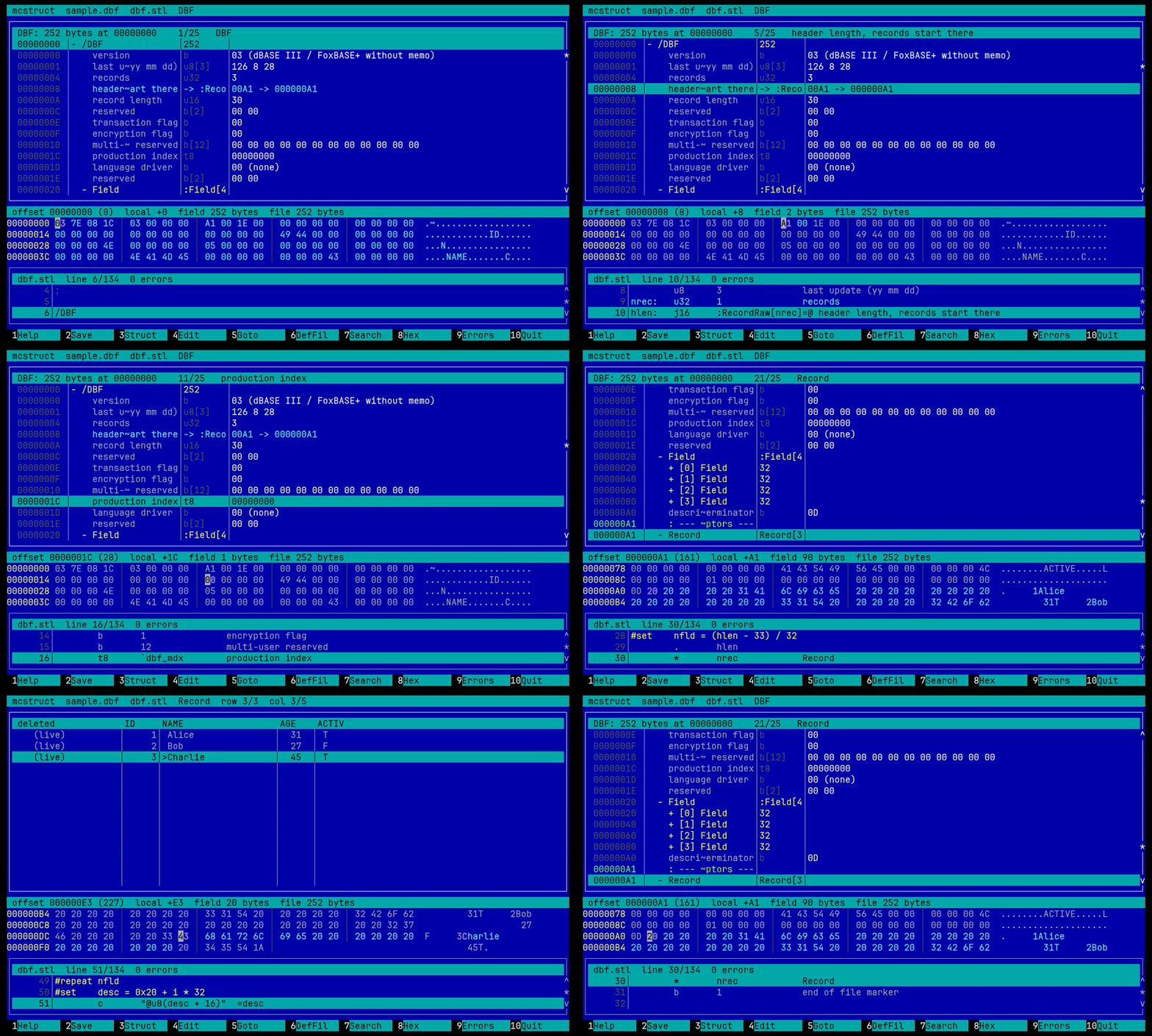
| mcstruct | Structured binary viewer and editor. A text def-file (STL5, compatible with the DOS Struct Look) turns a firmware image, a header or a table file into a tree of named fields synced with a hex dump. Ships def-files for ELF, PE, ZIP, DBF, MBR, FAT, uImage, DTB, PNG, BMP and WAV. Guide |
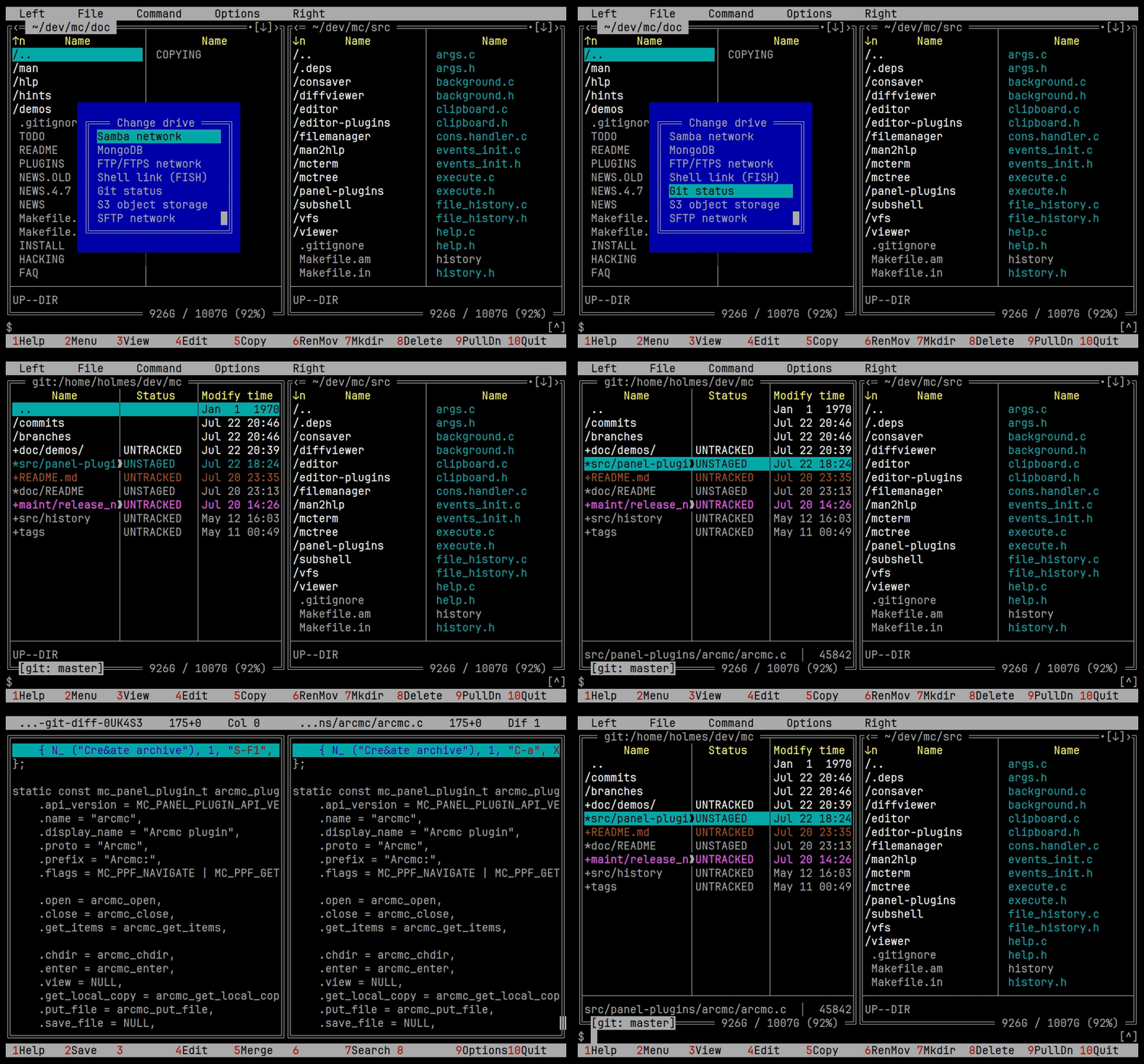
| Git | Commits, branches and changed files with the built-in diff viewer. Repositories can be saved as favourites. Selecting a changed file moves the other panel to it in the working directory. |
| Docker | Containers, their files, images, volumes, networks, mounts, command execution and logs. Local and SSH profiles. Log fetch parameters and a formatting pipe are set right in the viewer; a formatter for .NET and Serilog logs is included. |
| Kubernetes | Pods, nodes, services and workloads through kubectl. Contexts, namespaces, describe, YAML, exec, resource deletion and log viewing. |
| MongoDB | Connections, databases, collections and documents. Filtering, projection, sorting, limits, paged reading of large collections and document editing. |
| S3 | Upload, download and delete objects, create buckets, view metadata, stream objects into the viewer. Works with MinIO, Ceph and Cloudflare R2. |
| SQLite | A database as a panel of tables, columns and rows. Read only. |
| FTP / SFTP | FTP and FTPS with active and passive mode, proxies, keepalive and IP version settings. SFTP with password and key authentication, compression, progress and streaming. These replace the old ftpfs and sftpfs. |
| Samba | SMB servers and their shares. |
| systemd, shell, External Panelize | Units, shell connections, and a panel filled by a command's output. |
Tag files, open the pack dialog, pick the format and compression, watch the progress. The built-in tar and cpio filesystems are gone; arcmc does that job now.
Browse the status, open a file's diff in the built-in viewer, jump to a hunk.
Header fields with the hex dump and the def-file in sync, and the records as a grid. Start it with mcstruct FILE, Shift-F4 in the viewer, or F3 on a file that magic.ini hands to it.
User plugins are loaded from ~/.local/lib/mc6/panel-plugins.
The plugins are tried in a Docker sandbox described on the QA testing page.
Scripting
Lua support is a plugin that speaks the core ABI, so the language is not built into mc. A script can read and change editor documents in transactions, provide panels and file operations, supply the viewer with generated content, build native dialogs and full screens of widgets, run processes and answer events.
Scripts are managed in the Manage Plugins dialog. Several of the viewers on this page, the image renderer among them, are Lua scripts themselves.
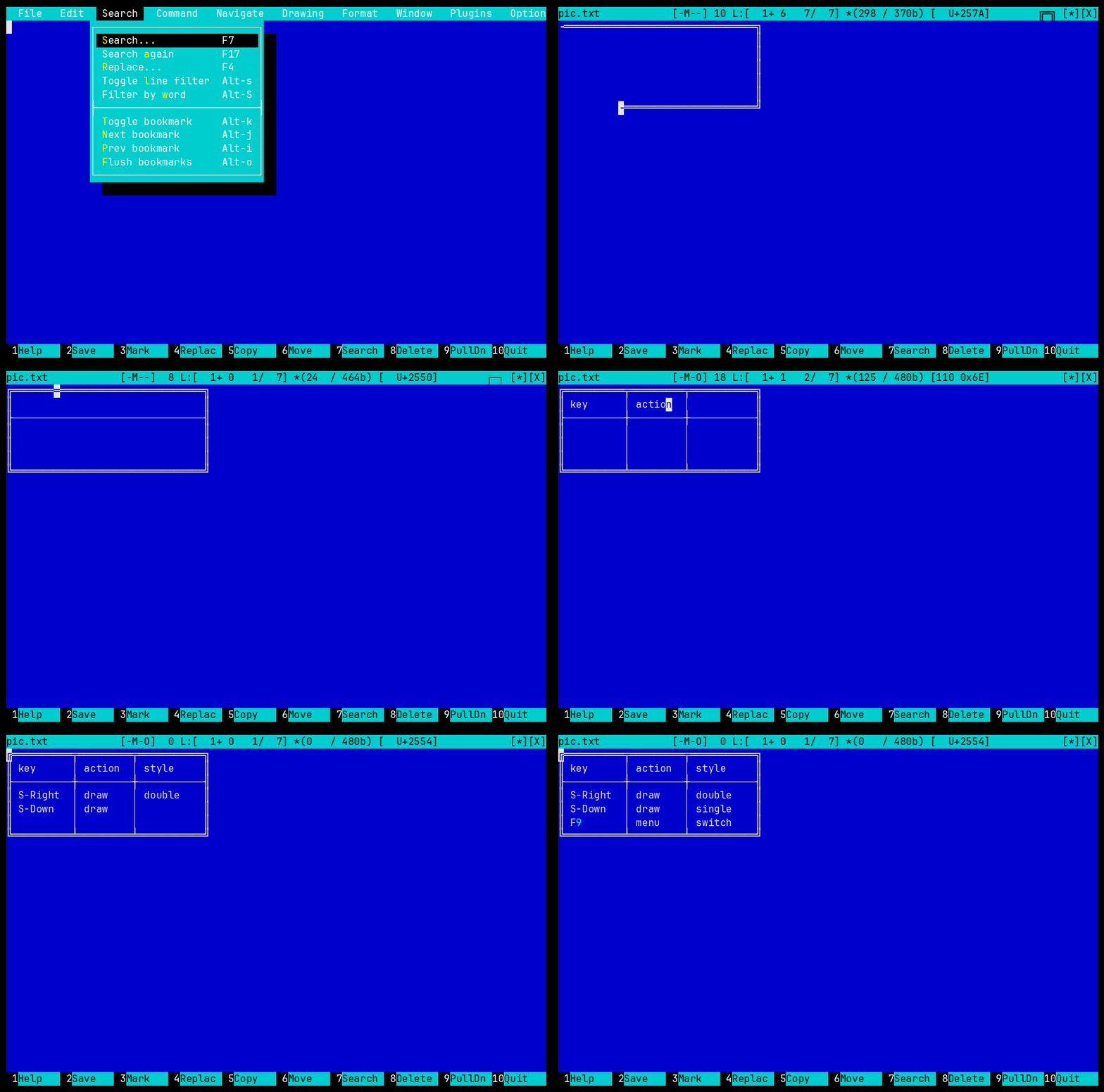
draw-table editor script: Shift+arrows draw lines, corners and crossings are computed on their own.Viewer
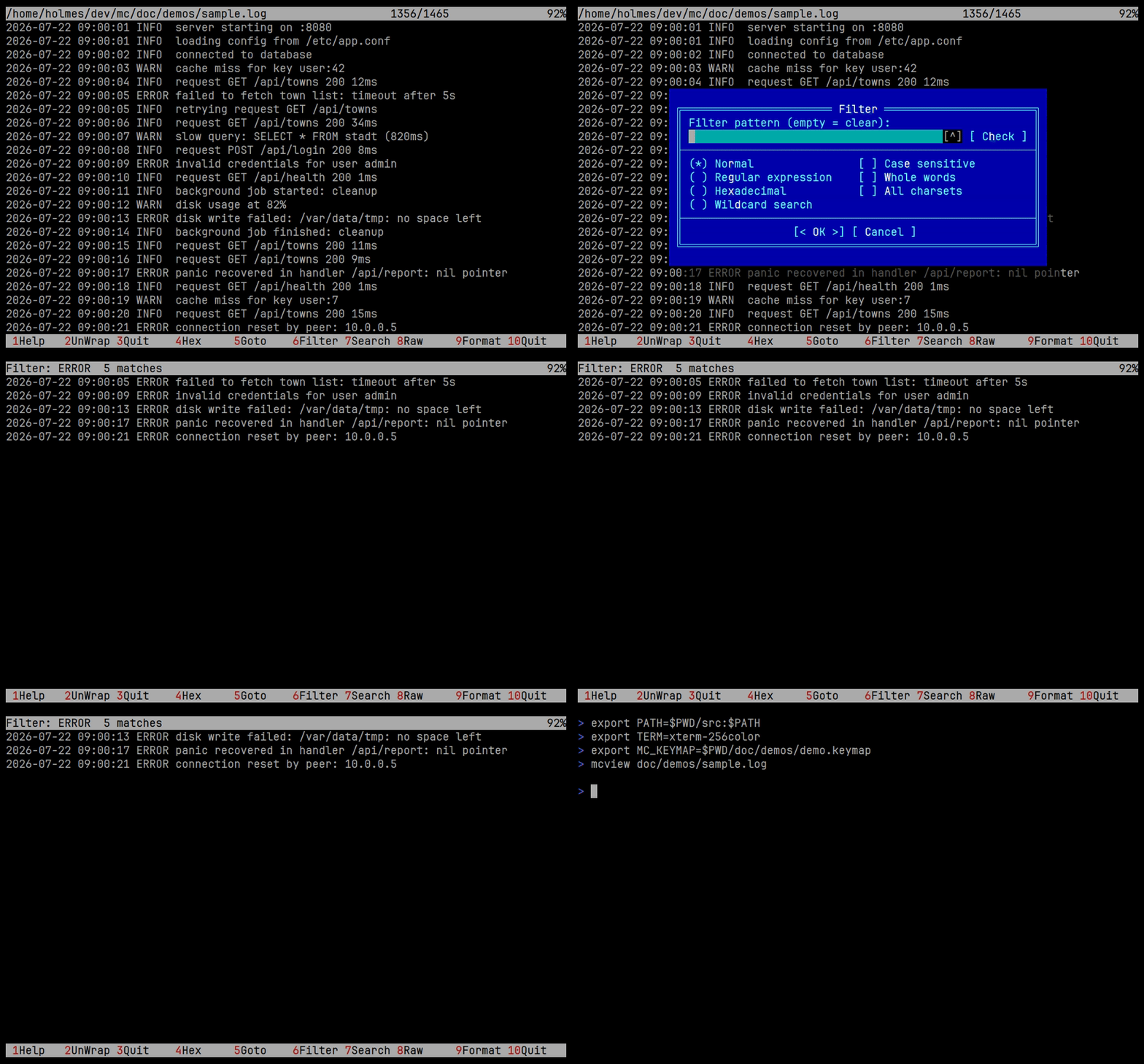
JSON, YAML, XML, HTML, and the metadata of PNG and JPEG open as a tree, in the fullscreen viewer and in Quick View. Expand and collapse nodes, set the depth, search the whole structure, and copy the path of the selected element in a jq-like form.
The mcview_structured_auto option makes supported files open in tree mode by default.
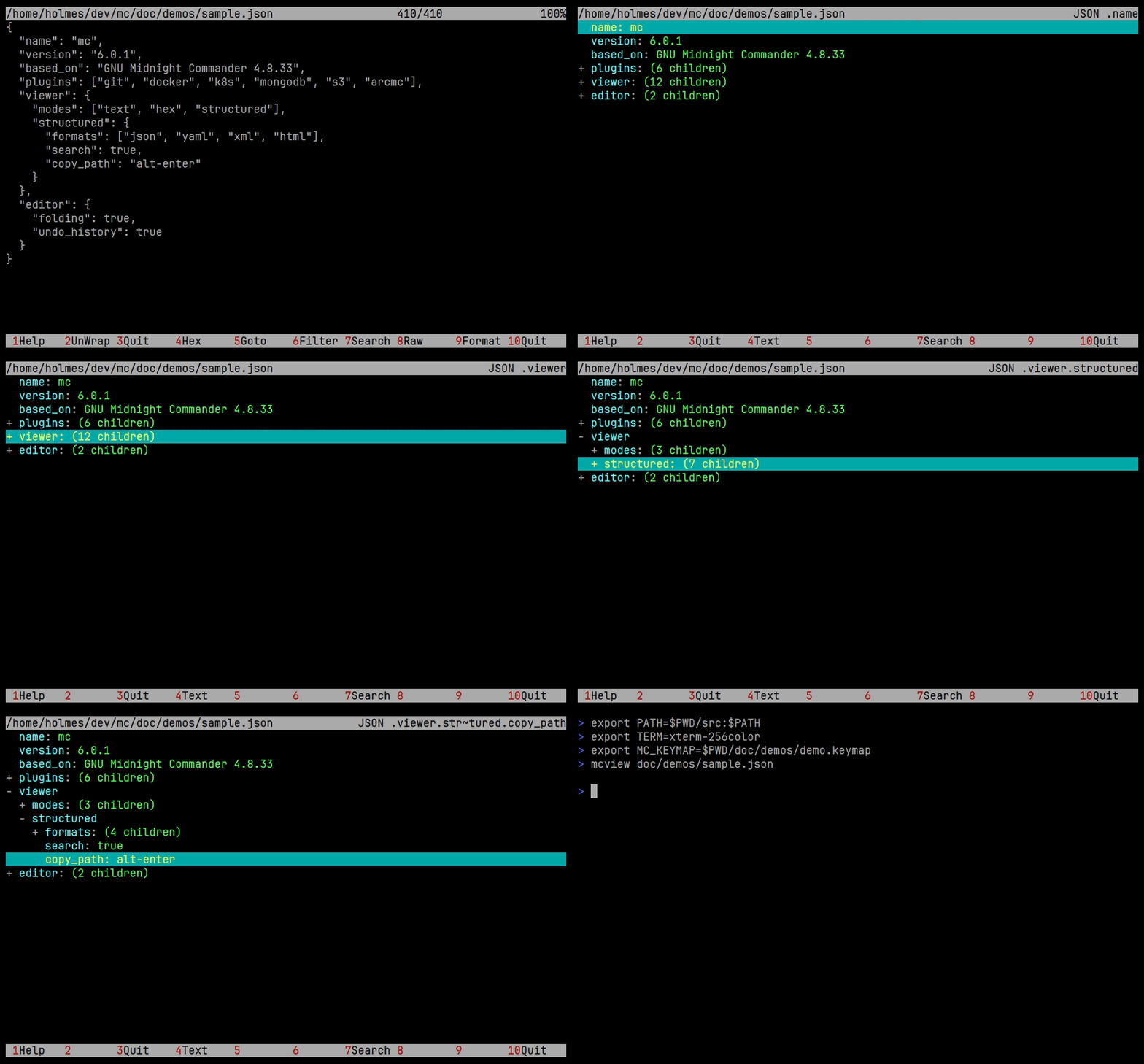
The viewer works with commands that never finish, such as docker logs -f or journalctl -f. Data is read without blocking the interface and shown as it arrives.
The filter offers plain search, regular expressions, case sensitivity, whole words and charset selection, and applies to the current source: only matching lines are shown, with no second file or process.
For Docker and Kubernetes logs, the number of records, the time range, the previous instance and continuous refresh are set in the viewer, and the stream can be piped through an external formatter.
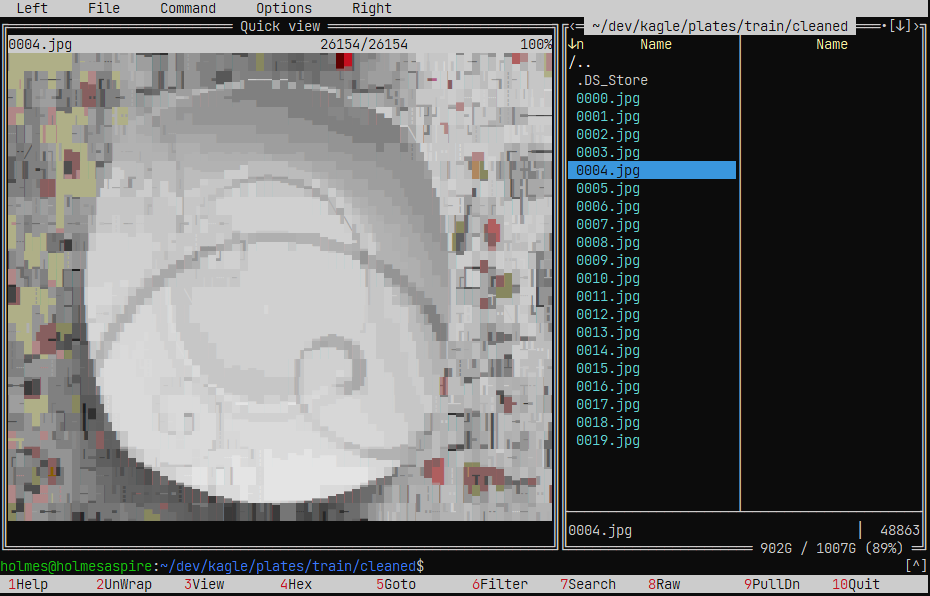
PNG, JPEG and other raster images are rendered by Chafa into terminal characters and redrawn on resize. Where the terminal draws sixel graphics, the real picture is shown instead.
The same mechanism gives other files a readable form: ELF binaries through readelf, Java classes decompiled by Procyon, dBase, FoxPro and Clipper tables as pageable grids. F8 switches between the generated view and the bytes.
Standard and bright colours, the 256-colour palette, True Color, bold, underline, italics and reverse video. Shift-F9 toggles rendering.
Positioning, screen erasing and scrolling regions are handled, so script(1) recordings and saved output of fullscreen programs can be viewed. F9 switches None, SGR and Term.
A Lua handler can intercept a file in Viewer or Quick View and show a generated representation. The rules live in magic.ini and can be changed by the user.
Editor
Multi-line blocks fold by their {}, [] and () brackets, through the gutter indicator, the Command menu or Alt+Shift+F. The command uses the selection or the nearest enclosing block.

A plugin can register actions, add menu entries and handle keys. Three ship with the editor: the spell checker, etags support, and a new ctags navigator with jumps to definitions, references, symbol search, completion and a jump history. User plugins load from ~/.local/lib/mc6/editor-plugins.
The Search dialog (F7) has a Filter action that hides non-matching lines while keeping the original numbers. Alt+S lifts or restores the filter, Alt+Shift+S filters by the selection or the word under the cursor.
Alt+Shift+U lists undo and redo groups with the line, the operation, the size and a fragment of the change. Jump to any point of the history.
Alt+Shift+M lists recorded macros. Inspect the action sequence, run, delete, or open the definition in mc.macros.
When a file cannot be saved for lack of permissions, the editor offers to repeat through sudo -S tee. A failed attempt keeps the buffer and the editor open.
Character positions inside long lines are cached, so logs, CSV and minified data scroll and redraw without delays.
Embedded terminal
The shell runs inside the file manager. A command typed on the command line goes to the shell already running there, and the command line shows that shell's own prompt, colours and cursor. Ctrl+O toggles the terminal; it starts in the directory of the active panel and follows it, tracking the prompt, the running command, the exit status and the directory through OSC 133 and OSC 7.
Terminal emulation is done by the viewer's own engine, without an external library.

Panels, keys and skins
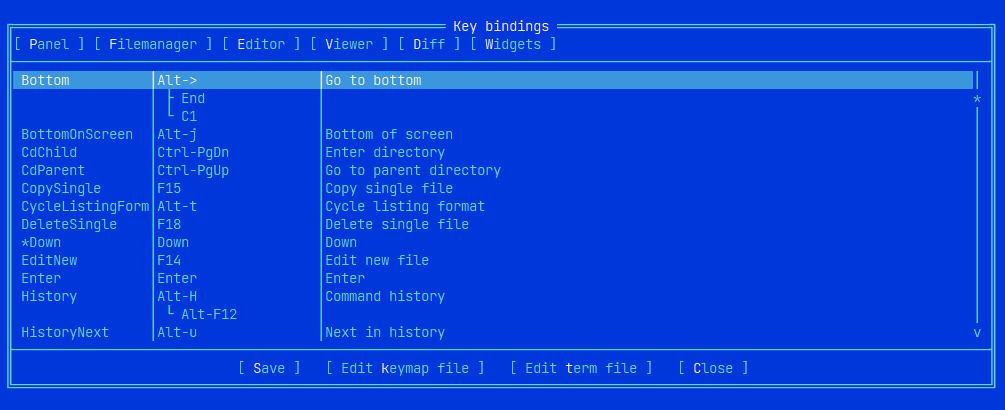
Changes the bindings and finds conflicts between them, grouped by area into tabs.
Recognises modifiers, so Ctrl, Alt and Shift are captured together with the base key. Settings are stored per $TERM in ~/.config/mc6/term/.
Shows the escape sequence a terminal sends for a key, with the shortcut, the mapped action and the keycode.
Users define their own display modes and choose the set and width of the columns. permission_colors colours each permission bit by what it is, the way eza does.
Alt+Shift+S filters the panel as you type, Ctrl+G removes the filter. Alt+C asks for a directory in the mini status, with completion above the input.
Every shipped skin has colours for all screens, including mcterm, the tree view and mcstruct. -thin, -defbg and root variants. Skins
Changes the colours and the frame characters of a skin from inside mc and shows the result as it goes. The left half lists every key of the skin by the part of the screen it paints, the right half is a sample drawn with the colours as they are now.
The Color dialog has the 16 named colours, the 256-colour picker and RGB input, plus bold, italic, underline, reverse and blink. Every change goes to the screen at once. Saving writes a copy to your skins directory and makes it the running skin. Opened from Command, Plugin panel or Manage Plugins.

Releases
Version numbers are independent of upstream. MINOR is bumped for feature releases, PATCH for fix-only ones.
Every release page lists each change with its pull request, and apt changelog mc6 says the same.
All notes: Releases · CHANGELOG.md
Contributing
How the code is written and formatted, and what a pull request is expected to look like.
A Docker sandbox that builds mc from the working tree and runs it against sftp, ssh, ftp and samba servers, by hand or from a script.
Runs the CI build locally before a push.
The GIFs on this page are rendered from VHS tapes against a pinned mc revision.